Turn web novels into audiobooks.

LitRPG, progression fantasy, cultivation and slice-of-life serials. Readible reads each chapter aloud in a natural voice and keeps going to the next one, so a thousand-chapter story plays like an audiobook.

Updated

Download on theApp Store Free on iPhone and iPad
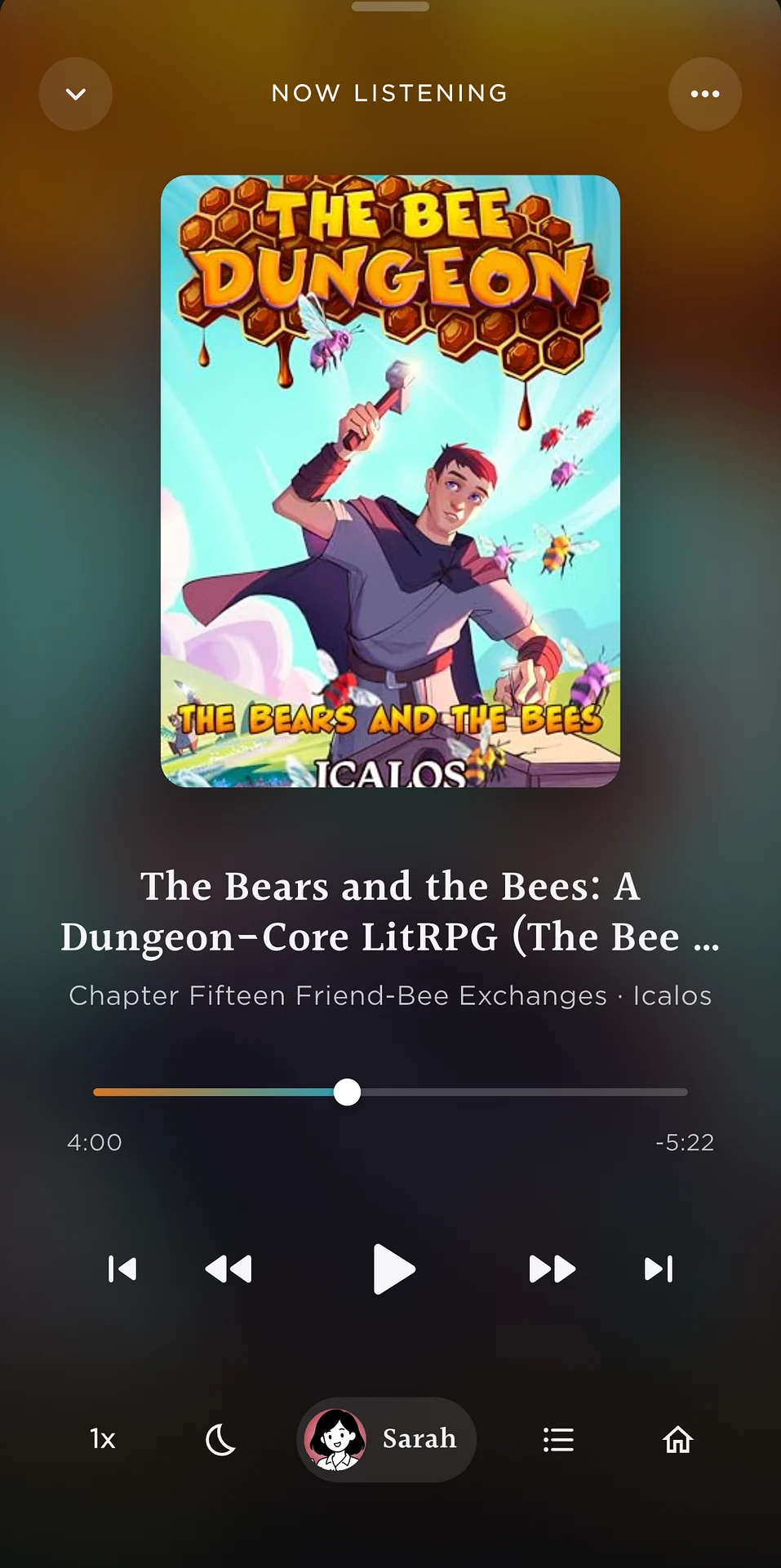
Now Listening in Readible: a book playing like an audiobook, with chapter and playback controls.
Web novelsNext chapter loads itself
Short answer

To listen to a web novel on iPhone, open the chapter in Readible's browser (or paste its link) and tap Read This. Readible reads the chapter aloud, finds the next-chapter link and loads it when you get there, and can save upcoming chapters for offline listening.

How it works

Start a serial in three steps.

  1. Open a chapterBrowse to it in Readible, paste the link on Home, or share it from Safari.
  2. Tap Read ThisReadible strips the page down to the chapter text and starts reading.
  3. Let it runAt the end of a chapter Readible follows the next-chapter link and keeps playing.
Built for binge listening

Hundreds of chapters, no tapping.

Sound good for hours

Voices that hold up over long sessions.

Questions

Good to know.

Which web novel sites work?

Readible reads chapter pages from most web novel sites. Moving to the next chapter automatically works when the page links to the next chapter, as Royal Road does. Royal Road text to speech.

Can I listen to web novels offline?

Yes. Download the next chapters first, then listen with on-device voices, which work with no connection.

Does it keep my place in each story?

Yes. Readible saves your place in every serial, so you can switch between stories.

Is it free?

The free plan includes 10 hours of cloud voices every 30 days, one Kindle import a month and unlimited offline voices. Pro is $2.99 a month or $24.99 a year.

Turn your reading pile into listening time.

Download on theApp Store Free on iPhone and iPad

The Readible app icon: an orange book on a dark teal background.