Turn your Kindle books into audiobooks.

Kindle to audio, without buying the audiobook. Readible reads the Kindle books you own in a natural voice and plays them like an audiobook: in the background, from the lock screen, at the speed you like.

Updated

Download on theApp Store Free on iPhone and iPad
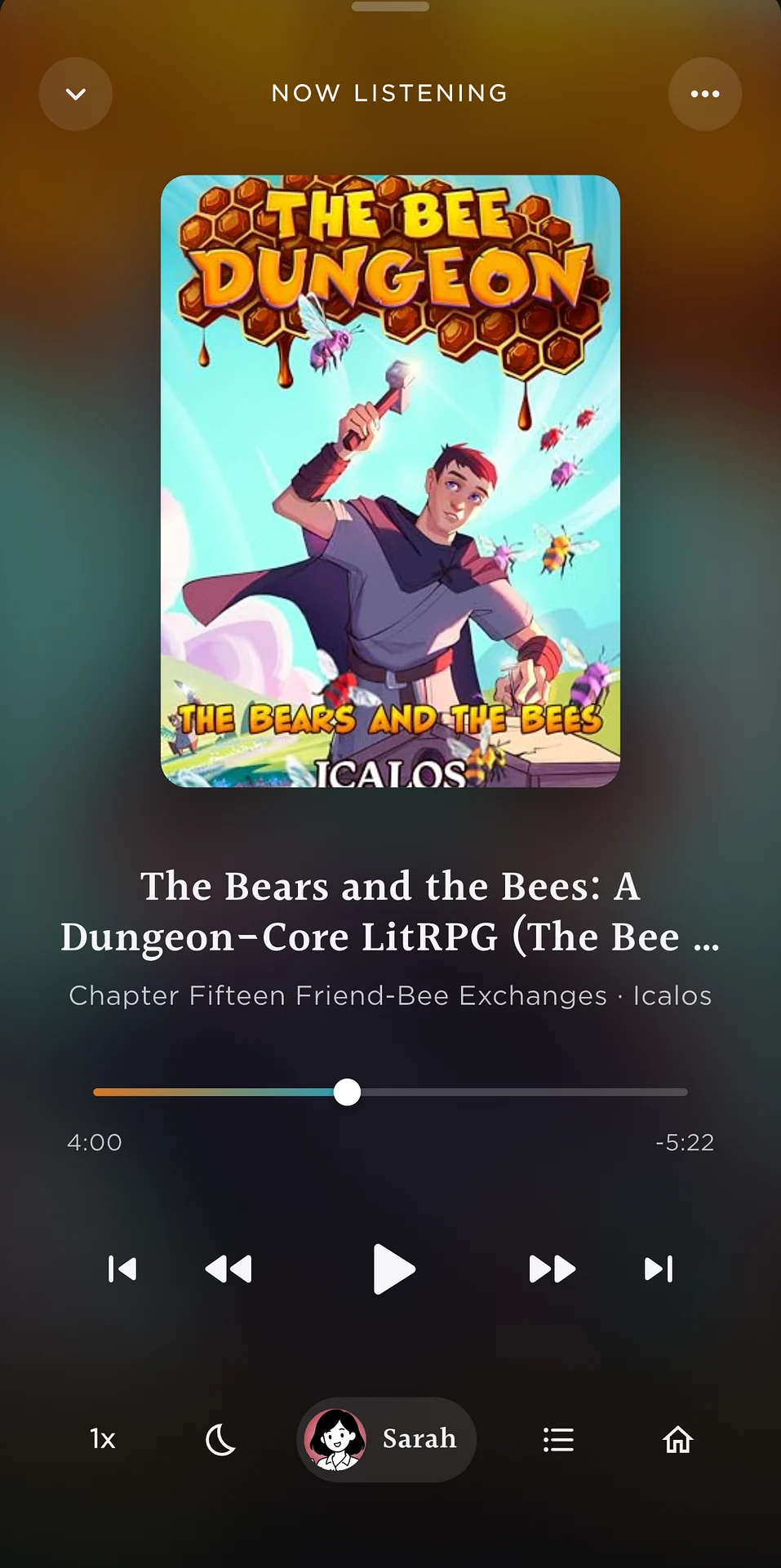
Now Listening in Readible: a book playing like an audiobook, with chapter and playback controls.
Kindle to audioYour library, as audiobooks
Short answer

To turn a Kindle book into an audiobook on iPhone, install Readible, tap Import Kindle book, sign in to Amazon and pick the book. Readible reads it in a natural voice and plays it like an audiobook, with lock-screen controls, a sleep timer and speeds up to 3x.

Kindle to audio

Three steps to your first Kindle audiobook.

  1. ImportTap Import Kindle book on Home and sign in to Amazon inside Readible.
  2. ChoosePick any book you can open in Amazon's Kindle web reader.
  3. ListenPress play, lock your phone, and listen like any audiobook.
Audiobook features

Everything you expect from an audiobook app.

Questions

Good to know.

How do I convert a Kindle book to audio?

Install Readible, tap Import Kindle book, sign in to Amazon and choose the book. Readible reads it aloud and plays it like an audiobook. Readible plays the audio inside the app, like an audiobook player, with background and lock-screen playback. It doesn't export MP3 files.

Is there a Kindle to audio (kindle2audio) app for iPhone?

Yes. Readible turns the Kindle books you own into audio on iPhone and iPad, with natural voices and sentence highlighting.

Do I need to buy the Audible audiobook?

No. Readible reads the Kindle ebook itself with AI voices. If you prefer a human narrator for a particular book, Audible is still the way to get that.

Is it free?

The free plan includes 10 hours of cloud voices every 30 days, one Kindle import a month and unlimited offline voices. Pro is $2.99 a month or $24.99 a year. Premium adds unlimited Kindle imports.

Turn your reading pile into listening time.

Download on theApp Store Free on iPhone and iPad

The Readible app icon: an orange book on a dark teal background.