EPUB to audiobook, on your iPhone.

Every DRM-free EPUB you own can become an audiobook. Open it in Readible, choose a voice, and listen chapter by chapter with your place saved.

Updated

Download on theApp Store Free on iPhone and iPad
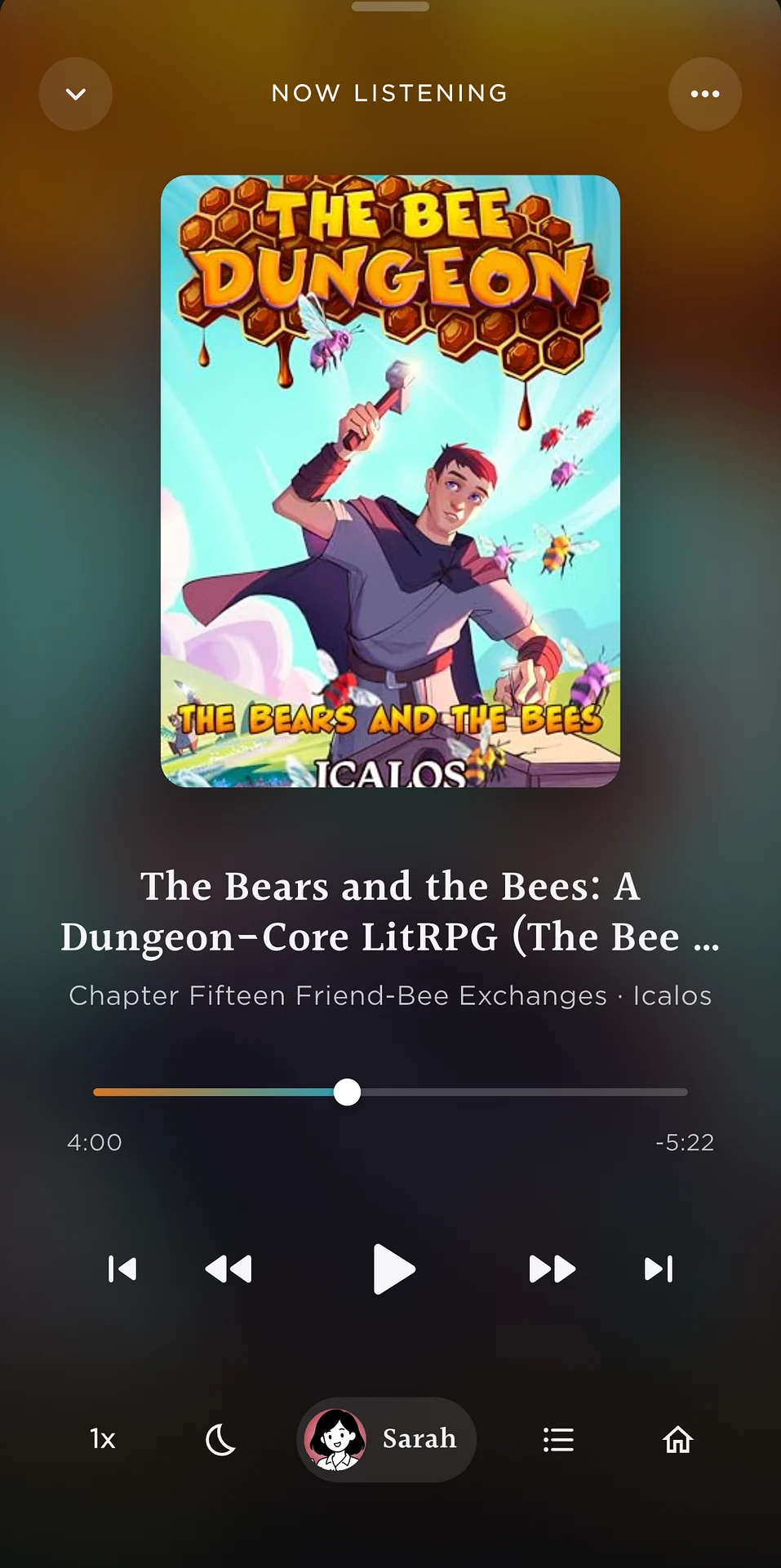
Now Listening in Readible: a book playing like an audiobook, with chapter and playback controls.
EPUB to audioAny EPUB, as an audiobook
Short answer

To turn an EPUB into an audiobook on iPhone, open it in Readible from the Files app (or Upload file on Home) and press play. Readible reads it chapter by chapter in a natural voice, highlights each sentence, and keeps playing with the screen locked.

EPUB to audio

Three steps.

  1. Open the EPUBFiles › Share › Readible, or Upload file on Home.
  2. Choose a voiceCloud voices for the most natural sound, or on-device voices that work offline.
  3. ListenLock your phone and listen like an audiobook, up to 3x speed.
Why Readible

An audiobook player for your ebooks.

Questions

Good to know.

How do I convert EPUB to audio?

Open the EPUB in Readible and press play. Readible reads it aloud in a natural voice and plays it like an audiobook. Readible plays the audio inside the app, like an audiobook player, with background and lock-screen playback. It doesn't export MP3 files.

Is Readible an epub2audio app?

Yes. Readible turns EPUB books into audio on iPhone and iPad, with natural voices and sentence highlighting.

Does it work with DRM-protected EPUBs?

Readible opens DRM-free EPUBs. For Kindle books, use Kindle import instead: Kindle to audiobook.

Is it free?

The free plan includes 10 hours of cloud voices every 30 days, one Kindle import a month and unlimited offline voices. Pro is $2.99 a month or $24.99 a year.

Turn your reading pile into listening time.

Download on theApp Store Free on iPhone and iPad

The Readible app icon: an orange book on a dark teal background.